Choosing your setup · By Bessos DJ
Browser DJ mixer vs desktop DJ software: which fits your setup?
Compare browser access, local libraries, installation and performance with desktop DJ workflows without assuming one fits everyone.
The main difference is the workflow
A browser DJ mixer opens from a website; desktop DJ software is installed as an application. Both can offer decks, EQ and transitions, but their audio routing, hardware support and library tools differ by product. Neither category guarantees a better mix.
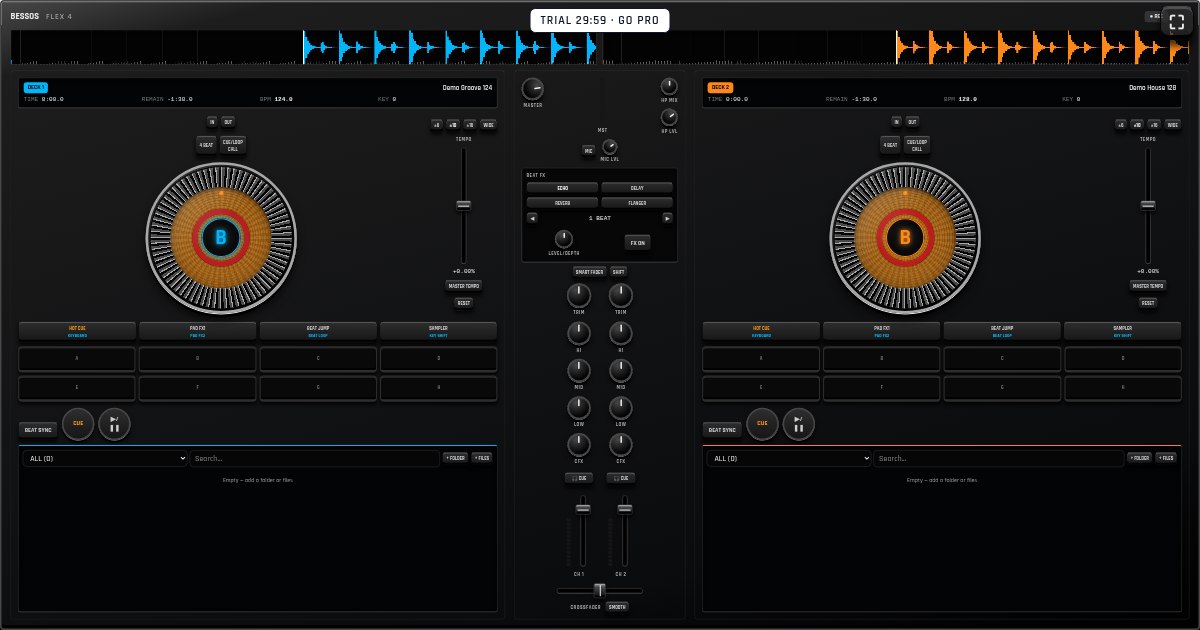
Bessos Flex 4 is an on-screen browser console. No physical DJ controller is sold or shipped. It is a practical starting point when you want to explore mixing without first installing a large desktop application.
Access and installation
Browser access makes it easy to begin on a laptop, tablet or phone. Bessos Flex 4 also offers web-app installation where the browser supports it. On iPhone or iPad, Add to Home Screen is a browser action; on supported desktop and Android browsers, an install prompt may be available.
An installed web app is still web software, not an App Store or Google Play release. Its capabilities depend on the browser and operating system. Desktop applications have their own installation, update and system requirements, which you should check for the exact product and version.
Music libraries and offline preparation
Bessos Flex 4 stores imported audio locally in the current browser. This is convenient for a small practice library, but it does not automatically synchronize a collection across devices. Keep original files outside the browser and allow site storage to remain enabled.
For offline practice, first open the published app online, save your tracks and test reopening without a connection. A desktop app can have a different offline workflow, depending on its licensing and music sources. Streaming tracks and locally stored files are not interchangeable.
Performance and specialist equipment
Audio responsiveness depends on the device, browser, output connection and workload. Close unnecessary tabs and test a full practice session rather than judging from a single button press. Bluetooth output can introduce delay, so check timing with the audio connection you intend to use.
If your setup requires a specific MIDI controller, multiple sound-card outputs, independent headphone cueing, timecode or a club library workflow, check those capabilities in the exact app. Do not assume an on-screen control establishes hardware support. Bessos Flex 4 should be evaluated as a virtual browser console, not advertised as a replacement for every professional setup.
Choose by testing your actual use case
For learning a first transition or casual touch-based practice, easy browser access may be the priority. For a performance setup built around specialist equipment, verified hardware and audio-routing support may matter more. These are different needs, not a universal ranking.
During the Bessos Flex 4 trial, import two tracks, mix them and record a short result on your own device. Then review pricing and your requirements. The free trial is 30 minutes; ongoing use requires paid access. A small real-world test is more useful than promises of identical performance on every device.
Try it on your own device
Open the mixer for a free 30-minute trial. No account is needed to start; continued use requires a plan.
Open Bessos Flex 4 →See pricing